Friday, April 11, 2014
PhotoShow
PhotoShow: With this site, you can turn your photos into a dazzling PhotoShow! It's fast, fun, and FREE! You will have to sign up in order to save your photoshow. First, you will need a few pictures so you might want to visit ImageZone. Begin, by clicking the "Get Started Now" button. Then add your pictures and click upload. Next, view your slideshow and have fun trying different styles. You can also add captions, bubbles, stickers, borders, etc. These are really cool! The last step is to share your photoshow with a friend. You can email your show to me at: djames@abileneschools.org


Wednesday, April 9, 2014


Flowers2mail
Send that special someone a bouquet of flowers for a special holiday - or for some other special occasion.
Create a bouquet of flowers! Click here! and send it to someone special.

Sunday, April 6, 2014
Happy Monday to YOU!!!!!! APRIL 7
Last week you explored:
piZap
Bloggif
PhotoFunia
FotoFlexer
As you explored and had fun on these sites, you were suppose to compile examples of what you created from each of these sites! Now its time to SHARE!!!
You need to create different blog posts. OR you may put them in one as long as it is nicely organized.
1. Summarize the tool/website in detail - what can a person create on this site?
2. Website
3. 2-3 examples of items you created
4. Explain the pictures you created, what did you do to it? It may be neat if you share the original pictures as well.
You may have to go reexplore these sites to refresh your memory.
Next!
 Explore : http://teachweb2.wikispaces.com
When you get to the website, there are a list of web tools in ABC order along the left hand side (in the blue box). EXPLORE! On Wednesday you will share what you found! DO NOT JUST STAY ON ONE! -
IF THE WEBSITE IS BLOCKED EXPLORE My other blogs - listed above. Explore tools we have not gone over - create a blog post of what you found.
piZap
Bloggif
PhotoFunia
FotoFlexer
As you explored and had fun on these sites, you were suppose to compile examples of what you created from each of these sites! Now its time to SHARE!!!
You need to create different blog posts. OR you may put them in one as long as it is nicely organized.
1. Summarize the tool/website in detail - what can a person create on this site?
2. Website
3. 2-3 examples of items you created
4. Explain the pictures you created, what did you do to it? It may be neat if you share the original pictures as well.
You may have to go reexplore these sites to refresh your memory.
Next!
Explore : http://teachweb2.wikispaces.comWhen you get to the website, there are a list of web tools in ABC order along the left hand side (in the blue box). EXPLORE! On Wednesday you will share what you found! DO NOT JUST STAY ON ONE! -
IF THE WEBSITE IS BLOCKED EXPLORE My other blogs - listed above. Explore tools we have not gone over - create a blog post of what you found.
Thursday, April 3, 2014
Thursday, April 3
Today we are going to explore more photo editing websites:
PhotoFunia
FotoFlexer
We will first look at PhotoFunia!
Remember to create a Post about each photo tool - evaluating - explaining what each does. Examples of what you created on that site, link to site.
These will be due Next Wednesday.
PhotoFunia
FotoFlexer
We will first look at PhotoFunia!
Remember to create a Post about each photo tool - evaluating - explaining what each does. Examples of what you created on that site, link to site.
These will be due Next Wednesday.
PhotoFunia
Tools

 What is PhotoFunia?
PhotoFunia is an online photo editing tool that gives you a fun-filled experience. You upload any photo and just wait to see the magic. The technology automatically identifies the face in the photo and let's you add cool photo effects and create funny face photo montages.
PhotoFunia is free and very easy to use. Just select an effect you like from over 100 different effects, upload your photo, and PhotoFunia will handle the rest for you. PhotoFunia was officially launched in August of 2007.
Activity #1: Select 2-3 photos and experiment with the different effects that PhotoFunia offers. Save each of your pictures to be posted on your blog!
FotoFlexer

 Online image editor - FotoFlexer is a powerful online photo editor! It can remove blemishes, change skin/hair color, morph photos and more! 100% free.
Tuesday, April 1, 2014
Tuesday, April 1
Finish the following blog posts:
Include - example, link and description for each. You can have one or more example if you would like.
WORDLE
TAGUL
Today you will explore:
Bloggif and piZap. See posts below.
Our focus today will be exploring these to websites. You need to download or paste the HTML into a blog post - on Thursday - you will summarize each tool in two separate blog posts. Make as many creations as you would like.
Include - example, link and description for each. You can have one or more example if you would like.
WORDLE
TAGUL
Today you will explore:
Bloggif and piZap. See posts below.
Our focus today will be exploring these to websites. You need to download or paste the HTML into a blog post - on Thursday - you will summarize each tool in two separate blog posts. Make as many creations as you would like.
BlogGif


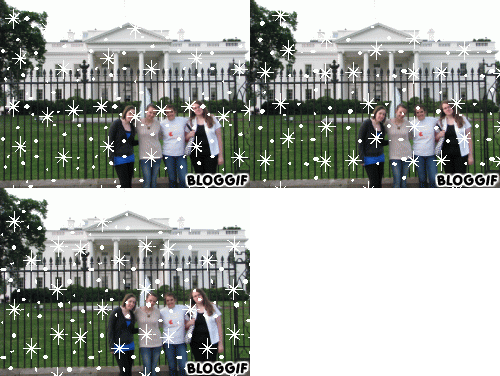
 This website allows you to create a photo collage, animate text, apply effects to photos, create animated GIFs, to name only a few! Click here to start creating!


Friday, March 28, 2014
Wednesday, March 26, 2014
Wednesday, March 26
Please complete:
You will have today and Friday to complete the following activity:
Utilize Powtoon and create an information/safety presentation. Use the information from the above website or from the links below.
Your audience is high school, middle school or elementary school students - choose one to focus on!
Focus on a topic, Digital citizenship, cyber bullying, internet safety, safety tips, Internet Survival Tips, be creative, etc., and have fun. You may make more than one if you choose.
Place your final Powtoon on your blog. You should not get done today!!!
Utilize the following websites - or find your own.
List of Resources
Digital Citizenship
- Blog post about Wordle
- 3b only - a blog post about Tagul (2b do not worry about this, I will go over this site Friday)
You will have today and Friday to complete the following activity:
Stay safe and secure online
Explore quick tips and how-to’s that explain what you can do to stay safe and secure on
the web. Click here!
Utilize Powtoon and create an information/safety presentation. Use the information from the above website or from the links below.
Your audience is high school, middle school or elementary school students - choose one to focus on!
Focus on a topic, Digital citizenship, cyber bullying, internet safety, safety tips, Internet Survival Tips, be creative, etc., and have fun. You may make more than one if you choose.
Place your final Powtoon on your blog. You should not get done today!!!
Utilize the following websites - or find your own.
List of Resources
Digital Citizenship

Monday, March 24, 2014
Monday - March 24
WHAT ARE WORD CLOUDS?
 |
Created on Wordle
|
A word cloud is an attractive arrangement of randomly positioned words, where the most important words are bigger than the others. Word clouds visually represent the frequency or importance of a word in a given text. As you can see in President Obama's Inauguration speech that someone created a word cloud from. Example: President Obama's Inauguration Speech Created from Wordle
Word clouds can be used for educational and fun purposes. You can place them on your blog, website, social networking site. You can also print them automatically onto items: a great idea for making custom gifts - printing on T-shirts. They are a fantastic tool to summarize large documents (reports, speeches, questionnaires, etc), as well as websites.

There are various websites available on the Internet to create word clouds. Word clouds can be created from sentences, whole documents, web addresses and on some websites even from tables.
WORD CLOUD WEBSITES WE WILL VISIT/EXPLORE
 |
| Textorizer - made on |
Tuesday, March 11, 2014

Tuesday, March 11
Hello! It is almost Spring Break time!!!!!!!
Today we are going to explore PowToon! FUN FUN FUN!!!
Please just stay on my blog and wait!
Blog Background
Want to change the background of your blog. Blogger offers several layouts and backgrounds for your blog, however there are
several websites that you can find FREE backgrounds that may fit your personality better. For instance thecutestblogontheblock has several free backgrounds - especially holiday or season themed backgrounds. It also has banners and buttons, etc.
Want to change the background of your blog. Visit any of the following websites!
You can also do your own search for blogger backgrounds.
To change your background, you will add a html gadget.
Want to change the background of your blog. Visit any of the following websites!
You can also do your own search for blogger backgrounds.
Have fun changing your blog background to correspond with the holidays!!
Here is one of many websites: The Cutest Blog on The Block
To change your background, you will add a html gadget.
Thursday, March 6, 2014
Blogamation
Do you see the cool eggs dropping down on my blog. At Blogamation they have several categories to choose from.
Get yours at Blogamation
Get yours at Blogamation
Khan Academy
 Well-respected and known as the place to go for all learners, Khan Academy masters teaching and animation with videos that lead a student to the unanswered questions.


Digital Comic Museum

is a free resource platform where users can easily download public domain golden age comics without the need to ask or worry about searching the net for them. These comics are organized into different categories. You can for instance browse collections by last updated or most popular or you can search for comics by name.
All the comics featured in Digital Comic Museum are copyright free and in the public domain. To download and use any comic you will have to register. Opening an account in DCM is also free.
originally shared on: educatorstechnology.com
Tuesday, March 4, 2014
Tuesday, March 4
Frame-based Animating Done Right

- Stykz is frame-based, letting you work on individual frames of your animation to make it just right. Onionskins let you see what was in the previous frame so you can make adjustments to your current frame easily.
- Stykz is completely free to download and use to create animations that you can show off to others or import into other applications.
- New frames can be created by clicking on the "Next Frame" button in the Frames palette, or by simply hitting the Enter key... in fact, you can use the Enter key while you're manipulating a figure! It's kind of like taking snapshots of the current frame while you're moving or pivoting segments... this feature makes it very easy to get smooth animation. Click here to see what animations others have made!


Activity:
- Create a frame-based animation using Stykz. Be creative! Export your final animation to be posted on your blog!

Sunday, March 2, 2014

Friday, February 28, 2014
Talking Email Messages - Talking Pictures
Oddcast.com
 Created on E-trade - I created a talking do message. To see an example of the BabyMail - click here
- Oddcast Widgets - various talking messages! Have FUN!
- E-trade Talking Baby - on this website you can add your own picture and even a picture of your pet will work! Email the talking message to someone, or embed it onto your webpage, or place it on your social networking page.
 Created on E-trade - I created a talking do message. To see an example of the BabyMail - click here
Virtual Drums
http://virtualdrumming.com/drums/windows/drums-free-drumming.html
Play virtual drums by clicking the corresponding keys. Choose from various drum sets! Have fun!

Play virtual drums by clicking the corresponding keys. Choose from various drum sets! Have fun!


Friday, Feb. 28
Create a post on three Drawing Tools that you explored!
Today we will explore and create tools where you can build comic strips!
As well as create animated text!
See posts below!
Thursday, February 27, 2014
Animated Text - Cool Text

 |
| cooltext.com |
Wednesday, February 26, 2014
More Drawing Tools
This post was taken from: educatorstechnology.com
Sketchpad

Sketchpad is a cool platform that you can use to make awesome drawings using text and a wide range of colours and patterns.
Quickmaps

Quickmaps allows users to draw a quick map. It is very easy to use but it requires a sign up which is completely free.
Tux Paint

This is a free drawing program for children ages 3 to 12. It has a user friendly interface, and fun sound effects. It is available for download for Windows XP, 2000, Vista 7.
Drawing Game Maker

This is a free drawing program for children with many nice options. It lets users draw with many different pens, and put stamps on their drawings. It is available for download for free.
Livebrush

Livebrush is a drawing application. It employs an easy-to-use brush tool that reacts to your gesture. By combining simple motion controls with brush styles, Livebrush offers a fun and unique way to create graphics.
10- Chogger

Chogger is simple platform where you can use different tools to create awesome drawings. It is free and web based.
Colour Lovers

This is a creative community where people from around the world create and share colors, palettes and patterns, discuss the latest trends and explore colorful articles.
Psyko Paint

Psykopaint is a website where users learn and enjoy painting using a wide variety of tools such as brushes, pencils, and many more. It is so much fun to use.
Kerproof

You have probably already heard about this tool. Kerprof has a section dedicated for users to create and exercise their drawing skill using several tools.
Pencil

Pencil is an animation/ drawing software for Mac OS X, Windows, and Linux. It lets you create traditional hand-drawn animation ( cartoon ) using both bitmap and vector graphics. Pencil is free and open source. it requires download.
Here is a list of some of the best free drawing tools that can be used very easily and most of the time without even registration or any software download.
Sketchpad
Sketchpad is a cool platform that you can use to make awesome drawings using text and a wide range of colours and patterns.
Quickmaps
Quickmaps allows users to draw a quick map. It is very easy to use but it requires a sign up which is completely free.
Tux Paint
This is a free drawing program for children ages 3 to 12. It has a user friendly interface, and fun sound effects. It is available for download for Windows XP, 2000, Vista 7.
Drawing Game Maker

This is a free drawing program for children with many nice options. It lets users draw with many different pens, and put stamps on their drawings. It is available for download for free.
Livebrush
Livebrush is a drawing application. It employs an easy-to-use brush tool that reacts to your gesture. By combining simple motion controls with brush styles, Livebrush offers a fun and unique way to create graphics.
10- Chogger

Chogger is simple platform where you can use different tools to create awesome drawings. It is free and web based.
Colour Lovers

This is a creative community where people from around the world create and share colors, palettes and patterns, discuss the latest trends and explore colorful articles.
Psyko Paint

Psykopaint is a website where users learn and enjoy painting using a wide variety of tools such as brushes, pencils, and many more. It is so much fun to use.
Kerproof
You have probably already heard about this tool. Kerprof has a section dedicated for users to create and exercise their drawing skill using several tools.
Pencil

Pencil is an animation/ drawing software for Mac OS X, Windows, and Linux. It lets you create traditional hand-drawn animation ( cartoon ) using both bitmap and vector graphics. Pencil is free and open source. it requires download.
Subscribe to:
Posts (Atom)